Develop accessibility intuition through play, reflection and practice.
A11y Intuition Lab creates open, hands-on tools and learning activities that help students and IT professionals understand human variation, recognise digital barriers and develop accessibility as part of everyday practice.
Why a11y intuition?
Accessibility is more than something to remember.
Standards and checklists are important, but accessibility also depends on the decisions we make before a checklist ever appears. A11y Intuition Lab helps learners practise noticing human variation, asking better questions and recognising barriers as part of everyday design and development.
Earlier work in this project explored these ideas through simulation-based games, and more of those are already taking shape. This iteration adds physical, tangible tools alongside them — objects you can hold, compare and discuss together.
The goal is not to memorise accessibility. It is to start thinking accessibly.
Explore the tools
Small objects. Big perspectives.
Each tool turns an accessibility concept into something you can hold, explore, discuss or use in an activity.
-
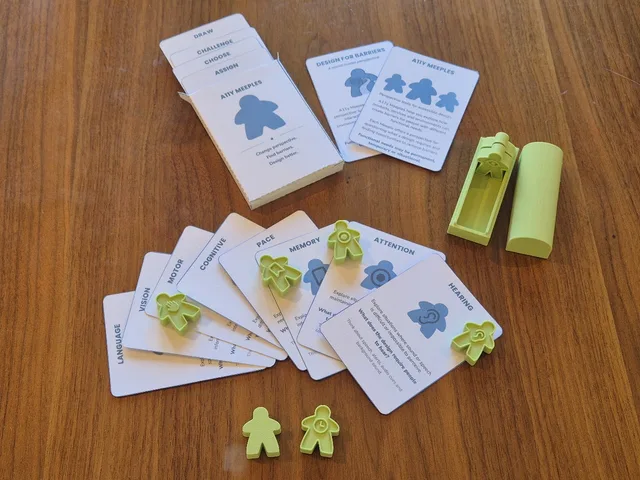
Gapplings
Small figures for exploring different dimensions of human ability and experience. Use them to change perspective, identify barriers and ask how a design works for different people and contexts.
-
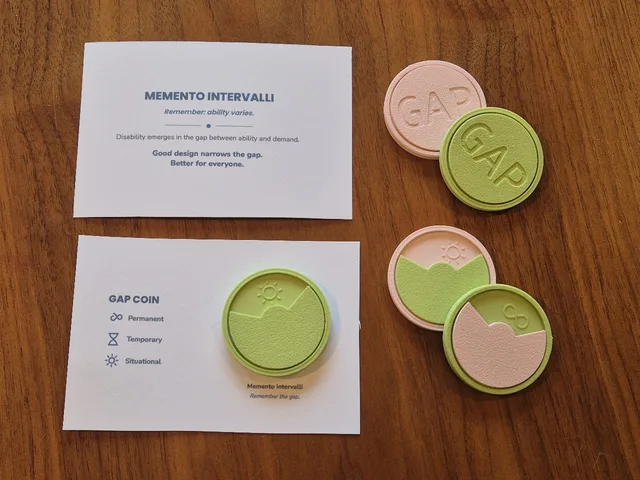
Gap Coin
Explore how ability and context change. The Gap Coin introduces permanent, temporary and situational limitations and helps learners examine the gap between what a person can do and what an environment demands.
Memento Intervalli — a physical reminder that ability varies, and good design narrows the gap.
-
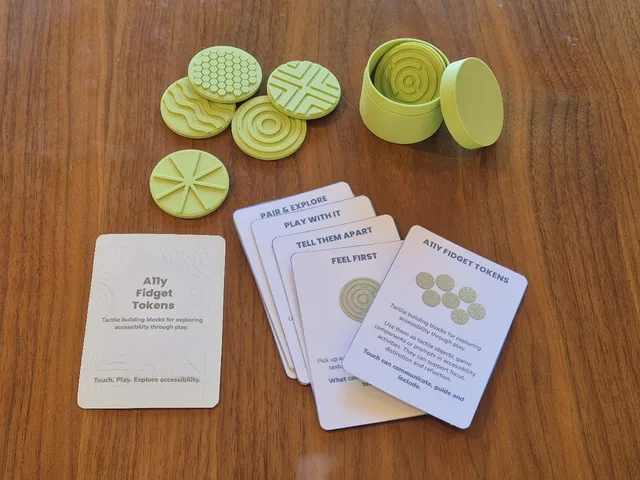
A11y Fidget Tokens
Explore how information can be communicated through touch. Different tactile patterns invite learners to compare, identify and discuss ways of making information distinguishable beyond vision alone.
Research prototypes
More ways to explore the same barriers
Alongside the physical tools, a set of simulation-based prototypes explores the same barriers through play. Each one is its own master's thesis project — a working prototype built to test an idea, not a full game.
-
On your phone
A mobile game played on your own device, where ordinary actions like tapping, scrolling and reading start behaving differently — revealing how much a phone's interface assumes about vision, motor control and attention.
-
A narrative adventure
A story-driven 2.5D game exploring the perspective of low vision and blindness through narrative rather than a checklist.
-
Check the paperwork
A decision game in the spirit of Papers, Please, where new rules are introduced one at a time and you check each case against everything you've learned so far, cross-reference details and decide what passes — turning the everyday work of reviewing, judging and applying criteria into the subject of play.
From knowing to doing
Build knowledge. Practise skills. Shift perspectives. Form habits.
-
Knowledge
Understand accessibility, human variation and why digital barriers emerge.
-
Skills
Practise recognising, discussing and improving accessibility in real situations.
-
Attitudes
Explore different perspectives and develop curiosity about how others experience technology.
-
Habits
Make accessibility questions a natural part of designing, building and evaluating technology.
This framing builds on the established view of competence as the integration of knowledge, skills and attitudes — see Baartman & de Bruijn, 2011 — extended here with habits, to capture how learning settles into recurring, increasingly automatic behaviour (Wood & Rünger, 2016). Others have proposed a similar extension, under the name KASH, in organisational training (Cabrera-Moya et al., 2023) and competency-based nursing education (Cross & Salguero, 2026).
Play. Reflect. Design for everyone.
-
Play
Use objects, scenarios and activities to make abstract accessibility ideas tangible.
-
Reflect
Discuss what happened, change perspective and examine where barriers emerged.
-
Design
Take what you learned back into real products, interfaces and professional practice.
Play doesn't mean turning disability into a game — reflection is what turns the activity into learning.